
Markdown is a text formatting language. Thanks to it, your notes always look perfectly structured and easy on the eye. As long as you follow a few basic rules, you can produce great-looking documentation without much effort. A big advantage of writing in Markdown is that you do not need any specialised software. A plain text editor is all you need. Yes — even Notepad is enough! 😆
I will show each formatting option as code first, then the result it produces.
Headings
# Heading 1
## Heading 2
### Heading 3
#### Heading 4
##### Heading 5
Heading 1
Heading 2
Heading 3
Heading 4
Heading 5
Text Styles
For the examples here I will use the sentence: The quick brown fox jumps over the lazy dog. It is a pangram — a sentence that contains every letter of the English alphabet.
### Bold

**The quick brown fox jumps over the lazy dog.**

__The quick brown fox jumps over the lazy dog.__

### Italic

*The quick brown fox jumps over the lazy dog.*

_The quick brown fox jumps over the lazy dog._

### Bold and italic

***The quick brown fox jumps over the lazy dog.***

___The quick brown fox jumps over the lazy dog.___
Bold
The quick brown fox jumps over the lazy dog.
The quick brown fox jumps over the lazy dog.
Italic
The quick brown fox jumps over the lazy dog.
The quick brown fox jumps over the lazy dog.
Bold and italic
The quick brown fox jumps over the lazy dog.
The quick brown fox jumps over the lazy dog.
Blockquote
> The quick brown fox jumps over the lazy dog.
> The quick brown fox jumps over the lazy dog.
>
> The quick brown fox jumps over the lazy dog.
>
> The quick brown fox jumps over the lazy dog.
> The quick brown fox jumps over the lazy dog.
>> The quick brown fox jumps over the lazy dog.
>>> The quick brown fox jumps over the lazy dog.
The quick brown fox jumps over the lazy dog. The quick brown fox jumps over the lazy dog.
The quick brown fox jumps over the lazy dog.
The quick brown fox jumps over the lazy dog. The quick brown fox jumps over the lazy dog.
The quick brown fox jumps over the lazy dog.
The quick brown fox jumps over the lazy dog.
Strikethrough
Strikethrough text

~~The quick brown fox jumps over the lazy dog.~~
Strikethrough text
The quick brown fox jumps over the lazy dog.
Superscript
2 <sup>53-1</sup> and -2 <sup>53-1</sup>
2 53-1 and -2 53-1
Subscript
Subscript text

<sub>The quick brown fox jumps over the lazy dog.</sub>
Subscript text The quick brown fox jumps over the lazy dog.
Tables
| Default | Left aligned | Centered | Right aligned |
| ------- |:-------------|:--------:|--------------:|
| 9999999999 | 9999999999 | 9999999999 | 9999999999 |
| 999999999  | 999999999  | 999999999  | 999999999  |
| 99999999   | 99999999   | 99999999   | 99999999   |
| 9999999    | 9999999    | 9999999    | 9999999    |
| Default | Left aligned | Centered | Right aligned |
|---|---|---|---|
| 9999999999 | 9999999999 | 9999999999 | 9999999999 |
| 999999999 | 999999999 | 999999999 | 999999999 |
| 99999999 | 99999999 | 99999999 | 99999999 |
| 9999999 | 9999999 | 9999999 | 9999999 |
Links
[Chatrix.One - Documentation](https://docs.chatrix.one)
Email addresses
<justin.tester@nonexistent.mail>
justin.tester@nonexistent.mail
Images
From a URL

 The image is loaded and displayed from the given URL.
Local
 The image is loaded and displayed from local storage.
Lists
1. One
2. Two
3. Three
- One
- Two
- Three
1. First level
     1. Second level
         - Third level
             - Fourth level
2. First level
     1. Second level
3. First level
     1. Second level
- First level
- Second level
- Third level
- Fourth level
- Third level
- Second level
- First level
- Second level
- First level
- Second level
* 1
* 2
* 3

+ 1
+ 2
+ 3

- 1
- 2
- 3
- 1
- 2
- 3
- 1
- 2
- 3
- 1
- 2
- 3
- First level
     - Second level
         - Third level
             - Fourth level
- First level
     - Second level
- First level
     - Second level
- First level
- Second level
- Third level
- Fourth level
- Third level
- Second level
- First level
- Second level
- First level
- Second level
- [x] Cherries 1kg
- [ ] Baklava 250g
- [ ] Pay phone bill
- Cherries 1kg
- Baklava 250g
- Pay phone bill
Keyboard keys
<kbd>Ctrl</kbd> + <kbd>Shift</kbd> + <kbd>P</kbd>
Ctrl + Shift + P
<kbd> <br> Ctrl + Shift + P <br> </kbd>
Ctrl + Shift + P
Horizontal lines
Option one
___

Option two

* * *

Option three

---
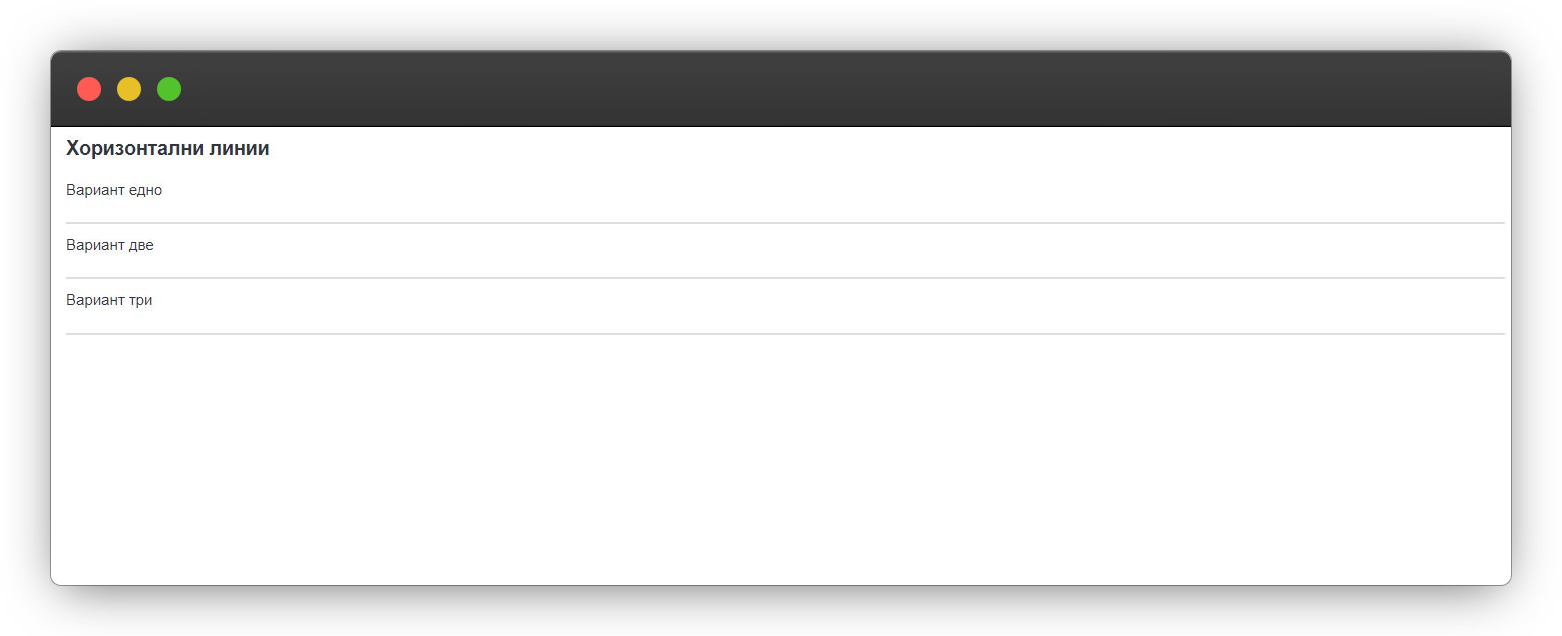 Whichever option you choose, the result is the same.
Footnotes
Chatrix.One is a server offering communication based on the XMPP[^1] protocol.
The communication is encrypted[^2] using OMEMO[^3].

[^1]: XMPP - Extensible Messaging and Presence Protocol;
[^2]: Also known as encryption;
[^3]: OMEMO is a method of double end-to-end encryption;
Chatrix.One is a server offering communication based on the XMPP1 protocol. The communication is encrypted2 using OMEMO3.
Wherever you place the footnote description in the editor, it will always be rendered at the very bottom of the document.
Embedding code
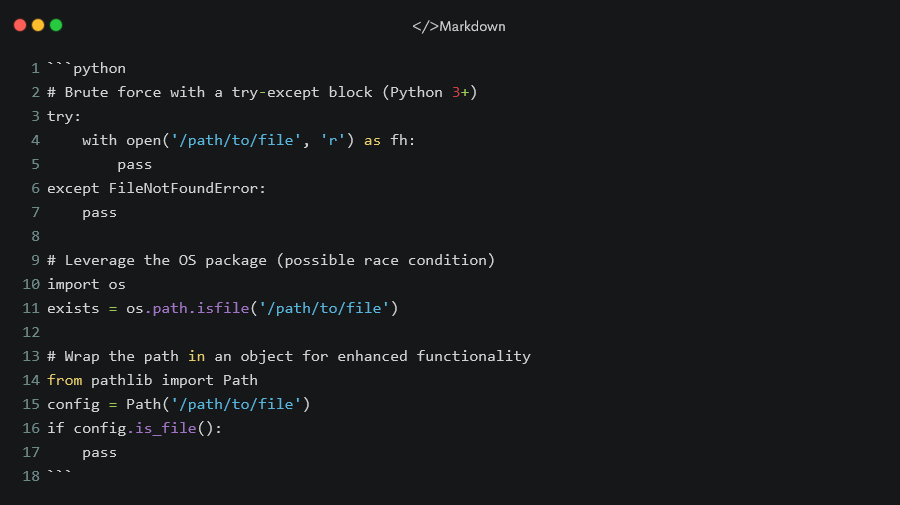 For correct rendering, the code above is shown as an image.
# Brute force with a try-except block (Python 3+)
try:
    with open('/path/to/file', 'r') as fh:
        pass
except FileNotFoundError:
    pass

# Leverage the OS package (possible race condition)
import os
exists = os.path.isfile('/path/to/file')

# Wrap the path in an object for enhanced functionality
from pathlib import Path
config = Path('/path/to/file')
if config.is_file():
    pass
Terminal commands
`cat /etc/os-release`
cat /etc/os-release
Diagrams
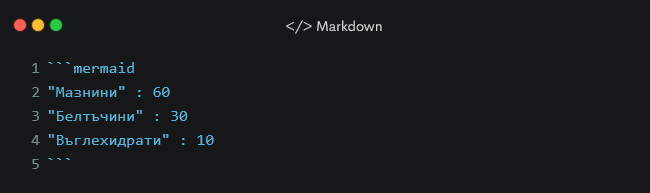 For correct rendering, the code above is shown as an image.
Flowchart
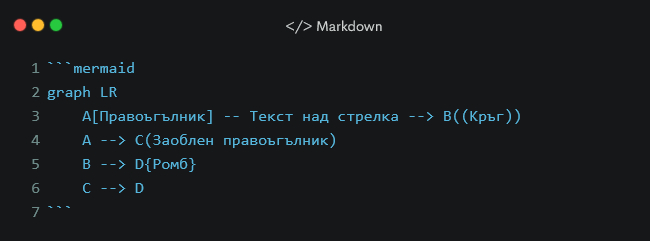 For correct rendering, the code above is shown as an image.
Mathematical expressions
Inline mathematical expression $x = {-b \pm \sqrt{b^2-4ac} \over 2a}$
Inline mathematical expression $x = {-b \pm \sqrt{b^2-4ac} \over 2a}$
x = {-b \pm \sqrt{b^2-4ac} \over 2a}
$$ x = {-b \pm \sqrt{b^2-4ac} \over 2a} $$
With this knowledge you can do a lot. Keep in mind that this is far from everything Markdown can do, but for most people it is more than enough to create perfectly organised documentation.